The Sniffer Board
A small number of sniffer boards live at the table — ask a booth worker to loan you one, and return it when you're done. Each one runs four different bus protocols simultaneously: UART, I2C, SPI, and an 8-bit parallel bus. Your job is to capture each one with your logic analyzer and figure out what's being said.
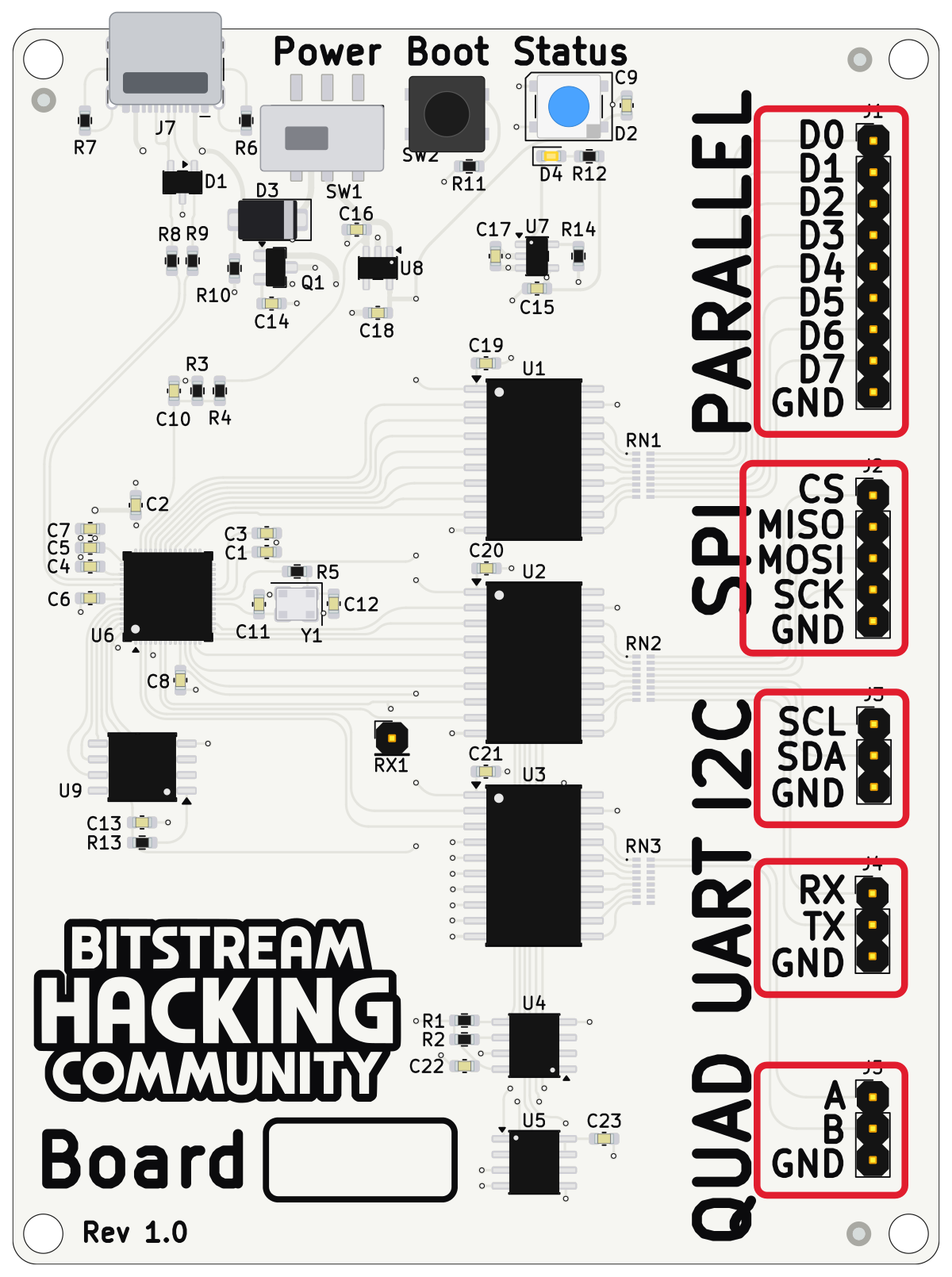
This page and its four sub-pages cover the protocols themselves — what each one is, where it came from, and how to read a capture of it. What to actually do with the data once you've captured it is the puzzle, and isn't covered here.
Practice First
Before touching any of the four protocol buses, verify your logic analyzer is hooked up correctly using the sniffer board's QUAD header — two clean, predictable square waves, there purely to confirm your capture setup works before it matters. No data to decode, nothing puzzle-related — see the Quadrature page for what it looks like and how to wire it up.
Four Protocols, Four Personalities
Every one of these buses solves the same basic problem — get bits from one chip to another — but they make very different trade-offs to do it. That's most of what's interesting about them.
UART
No clock wire at all — just an agreed-upon speed and a start/stop bit framing every byte. The oldest, simplest, and still everywhere.
I²C
Two wires, a shared bus, and every device gets an address. Built for chips to talk to chips inside the same box.
SPI
No addressing at all — just a select line, a clock, and two data lines moving in both directions at once. Fast and simple.
8-bit Parallel
Eight wires, one bit each, all at once — no shifting required. Trades pins for speed, the opposite bet from the other three.
Setting Up PulseView
PulseView is the free, open-source capture and decode front end for the sigrok project, and it's what we recommend for this challenge.
Once it's installed, plug in your analyzer and open PulseView — your device should appear in the selector at the top of the window. Each protocol sub-page lists the sample rate and capture duration to use, plus how to wire up that protocol's built-in decoder.
At the Booth
This is the grand-prize round — solving it wins a pocket oscilloscope, and only a limited number are available. You'll want the logic analyzer you earned in Level 2 (and the bag it came in) and a laptop running PulseView (yours, or one of ours). Once the data's captured, CyberChef is where you'll take it apart.